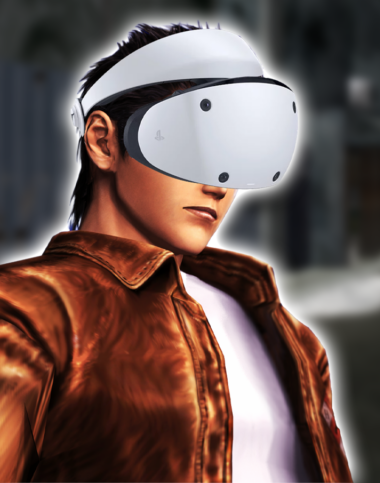
Creator Tensai37 has been working flatout on a number of improvements for his Shenmue 1 and 2 VR mod! The speed of these updates is incredible and the largest update to date is now LIVE! Info below taken from Tensai37’s Codeberg Page
Experience the Steam versions of Shenmue I and Shenmue II in stereoscopic VR with first-person gameplay.
This experience must be played seated. You can look around freely, but physically turning your body or chair is not yet supported.
What’s new in v1.4
IMPORTANT: Several changes have been made to both Shenmue I and Shenmue II. Be sure to install this update for both games.
- Adjusted the world scale in Shenmue I.
- Added adaptive FPS support to Shenmue II. Both games now support adaptive FPS.
- Resized and repositioned HUD elements, menus, subtitles, and choice prompts for improved VR visibility.
- Added stereoscopic 3D presentation to Shenmue II menus and cutscenes.
Frame interpolation is still required
Both games now support adaptive FPS, but frame interpolation is still required in sections where the game runs at 30 FPS.
- Meta Quest with Link or Air Link: Asynchronous Spacewarp (ASW)
- Quest, Pico, or Play For Dream with Virtual Desktop: Synchronous Spacewarp (SSW)
- SteamVR headsets: Motion Smoothing
Requirements
- The Steam release of Shenmue I & II, version 1.07
- A PC-compatible VR headset
- A standard game controller or VR controllers
- An active VR runtime or desktop-streaming connection
Installation
- Download ShenmueVR-Setup-1.4.exe.
- Close Shenmue I, Shenmue II, SMLaunch, and the Steam game launcher.
- Run the installer.
- Select your
steamapps\common\SMLaunchfolder. - Choose Shenmue I, Shenmue II, or both.
- Select OpenVR or OpenXR.
- Complete the installation.
Important: v1.4 contains changes for both Shenmue I and Shenmue II. If you have both games installed, be sure to select both when updating.
If you already have an earlier version installed, run the v1.4 installer directly. You do not need to uninstall the previous version first.
How to launch the game
- Connect your VR headset to the PC.
- Start Meta Link, Air Link, Virtual Desktop, SteamVR, or the appropriate software for your headset.
- Enable frame interpolation.
- Launch Shenmue I or Shenmue II.
- Once the game enters VR, click the main game window once on the desktop to give it input focus.
If the controls do not respond, click the game window again.
Uninstallation
- Open Windows Settings.
- Go to Apps > Installed apps.
- Search for Shenmue I & II VR Mod.
- Open the three-dot menu and select Uninstall.
Notes
- Unsupported game executable versions are refused without modification.
- This build is not digitally signed, so Windows SmartScreen may display an Unknown publisher warning.
Legal notice
Shenmue I & II VR Mod is an unofficial fan project and is not affiliated with or endorsed by SEGA. You must own the Steam version of Shenmue I & II to use this mod.