A flatscreen enhancement package for the Steam versions of Shenmue I and Shenmue II.
🇯🇵 日本語 / Japanese
## Shenmue I & II フラットスクリーン・ワイドスクリーン+60 FPS Fix
Steam版 **Shenmue I** と **Shenmue II** をフラットスクリーンで快適にプレイするための改善パッケージです。
### v1.1の新機能・修正
– Shenmue IIが通常のゲームプレイ中も30 FPSのままになる問題を修正しました。現在は正常に60 FPSへ切り替わります。
### 機能
– 通常のゲームプレイを60 FPS化します。
– カットシーン、QTE、エリア移動、その他60 FPSによって速度や安定性の問題が発生する場面では、60 FPSパッチを自動的に無効化し、ゲーム本来の30 FPSに戻します。
– 60 FPS時のNPC移動を修正します。
– 両方のゲームにワイドスクリーン修正を適用します。
– Shenmue I、Shenmue II、または両方を選択してインストールできます。
### コントローラーとQTEに関する注意
対応していないコントローラーを使用すると、QTEのボタン表示が正しく表示されない場合があります。これはゲーム側のコントローラー互換性の問題であり、**このMODが原因ではありません**。
QTE表示が出ない場合は、XboxコントローラーなどのXInput対応ゲームパッドを使用してください。
### 必要環境
– Steam版 **Shenmue I & II** バージョン1.07
– MODが入っていないクリーンなゲーム環境
### クリーンインストールが必要です
Shenmue IとShenmue IIのゲームフォルダーをクリーンな状態にしてからインストールしてください。必要に応じて、Steamの **ゲームファイルの整合性を確認** を実行してください。
他のMODと組み合わせた環境はサポート対象外です。不具合を報告する前に、クリーンなゲームフォルダーへこのFixだけをインストールした状態で問題が再現するか確認してください。
### インストール方法
1. **Shenmue-I-II-Widescreen-Adaptive-60FPS-Fix-1.1.exe**をダウンロードします。
2. Shenmue I、Shenmue II、SMLaunch、およびSteamのゲームランチャーを終了します。
3. インストーラーを実行します。
4. `steamapps\common\SMLaunch`フォルダーを選択します。
5. **Shenmue I**、**Shenmue II**、または**両方**を選択します。
6. インストールを完了し、通常どおりゲームを起動します。
### このFixとShenmueVRを切り替える場合
フラットスクリーンFixとShenmueVRを同時に使用しないでください。
– ShenmueVRがインストールされている場合は、このフラットスクリーン版インストーラーを実行してください。競合するShenmueVRファイルは削除または置き換えられます。
– 後からShenmueVRへ戻す場合は、最新のShenmueVRインストーラーを実行してください。競合するフラットスクリーン版のファイルが置き換えられます。
個別のMODファイルを手動で削除せずに、フラットスクリーン版とVR版を切り替えることができます。
### アンインストール方法
1. **Windows 設定**を開きます。
2. **アプリ > インストールされているアプリ**を開きます。
3. Shenmue I & IIのワイドスクリーン・60 FPS Fixを探します。
4. 右側の三点メニューから**アンインストール**を選択します。
### 注意事項
– 対応していないゲーム実行ファイルが検出された場合、インストーラーは変更を行わずに終了します。
– このインストーラーはデジタル署名されていないため、Windows SmartScreenで**不明な発行元**と表示される場合があります。
– 他のMODと組み合わせた環境はサポート対象外です。
### 法的事項
本プロジェクトは非公式のファンプロジェクトであり、SEGAとは提携しておらず、SEGAによる承認も受けていません。使用するにはSteam版 Shenmue I & IIを所有している必要があります。
### 今後の開発を支援する
このプロジェクトを楽しんでいただけた場合は、PatreonまたはKo-fiから今後の開発を任意で支援できます。
❤️ [PatreonでTensai37を支援する](https://www.patreon.com/c/tensai37/membership)
☕ [Ko-fiでTensai37を支援する](https://ko-fi.com/tensai37)
### クレジット
以下のMOD制作者にもクレジットが帰属する可能性がありますが、コードが大幅に変更されているため、正直なところ現在どの部分が残っているのか分かりません。記載が漏れていて、クレジットへの追加を希望される方はご連絡ください:
What’s new in v1.1
– Fixed an issue where Shenmue II remained at 30 FPS during normal gameplay. It now correctly switches to 60 FPS.
Features
– Enables 60 FPS during normal gameplay.
– Automatically returns the game to its native 30 FPS during cutscenes, QTEs, transitions, and other situations where 60 FPS could cause speed or stability problems.
– Fixes NPC movement at 60 FPS.
– Applies widescreen fixes to both games.
– Supports installing the fixes for Shenmue I, Shenmue II, or both.
Controller and QTE notice
QTE prompts may not display correctly when using an unsupported controller. This is a game controller-compatibility issue and is not caused by this mod.
If QTE prompts are missing, use an XInput-compatible gamepad, such as an Xbox controller.
Requirements
– Steam version of **Shenmue I & II**, version 1.07
– A clean game installation
Clean installation required
Begin with clean Shenmue I and Shenmue II game folders. You can use Steam’s **Verify integrity of game files** option before installing.
Installations containing other mods are not supported. If you experience a problem, reproduce it with a clean game folder and this fix installed by itself before reporting it.
Installation
1. Download Shenmue-I-II-Widescreen-Adaptive-60FPS-Fix-1.1.exe.
2. Close Shenmue I, Shenmue II, SMLaunch, and the Steam game launcher.
3. Run the installer.
4. Select your `steamapps\common\SMLaunch` folder.
5. Choose Shenmue I, Shenmue II, or both.
6. Complete the installation and launch the game normally.
Switching between this fix and ShenmueVR
The flatscreen fix and ShenmueVR should not be installed together.
– If ShenmueVR is currently installed, run this flatscreen installer. It will remove or replace the conflicting ShenmueVR files.
– To return to ShenmueVR later, run the latest ShenmueVR installer. It will replace the conflicting flatscreen files.
This allows you to switch between the flatscreen and VR versions without manually removing individual mod files.
Uninstallation
1. Open Windows Settings.
2. Go to Apps > Installed apps.
3. Find the Shenmue I & II widescreen and 60 FPS fix.
4. Open the three-dot menu and select Uninstall.
Notes
– Unsupported game executable versions are refused without modification.
– This installer is not digitally signed, so Windows SmartScreen may display an **Unknown publisher** warning.
– Other mod combinations are not supported.
Legal notice
This is an unofficial fan project and is not affiliated with or endorsed by SEGA. You must own the Steam version of Shenmue I & II to use it.
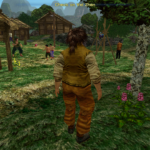
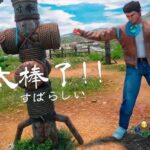
Mod in Action
Support future development
If you enjoy this project, you can optionally support continued development through Patreon or Ko-fi.
❤️ Support Tensai37 on Patreon
Credits
Some credit may belong to the following modders, but the code has changed so much that I honestly no longer know which parts remain. If I left you out and you would like to be credited, please let me know:
DerPlayer
Philzyeah
Lemonhaze
Ner0
Esppiral
Ramonf
Link to previous modding projects whereby this mod has been inspried from and additional credits – https://github.com/Shenmue-Mods/ShenmueDKSharp
Shenmue Dojo is not responsible for producing this mod, nor the credit attached to this work. Please contact the mod author for any difficulties or concerns.