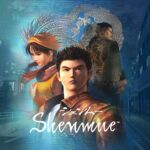
Shenmue I & II Widescreen 120 FPS Fix Released!
Play Shenmue I and II in widescreen at 120 FPS, with movement and traffic running at their proper speed.
Japanese Translation / 日本語訳
シェンムー I & II ワイドスクリーン 120 FPS Fix 公開!
シェンムー I・II をワイドスクリーン、120 FPS でプレイできます。移動や車両の速度も本来のままです。
主な機能
- シェンムー I と シェンムー II をワイドスクリーン表示に対応。
- ゲームプレイ、会話、カットシーン、QTE、メニューまで、常に 120 FPS で表示。
- 移動の速さは本来のままで、主人公も NPC も正しい速度で動きます。
- 両作の車両の動きを修正。車・バス・スクーターがルートを爆走せず、通常の速度で走行します。
インストール
警告:このインストーラーは、各ゲームフォルダーの XINPUT1_3.dll を置き換えます。同じファイルを使用する MOD(VR MOD を含む)とは併用できません。続行する前に、ゲームフォルダーをバックアップしてください。
- Steam 版シェンムー I & II バージョン 1.07 をインストールしてください。
- 両方のゲームとシェンムーのランチャーを終了してください。
- 下のリンクから Shenmue-I-II-Widescreen-120FPS-Fix-1.0.exe をダウンロードしてください。
- インストーラーを起動し、Steam の
steamapps\common\SMLaunchフォルダーを選択してください。例:C:\Program Files (x86)\Steam\steamapps\common\SMLaunch - シェンムー I、シェンムー II、または両方を選び、インストールを完了してください。
- 通常どおり Steam から起動してください。
ワイドスクリーン用の実行ファイルパッチは自動で適用されます。元の実行ファイルは保存され、アンインストール時に復元されます。
備考
表示される FPS は、ディスプレイと GPU の性能に依存します。
既知の不具合
- シェンムー II:階段を走って上り下りする際、涼が跳ねるように動くことがあります。
アンインストール
Windows の「設定」→「アプリ」からアンインストールしてください。元の実行ファイルと、置き換えたファイルを復元します。
不具合の報告
使用したゲーム、GPU、ディスプレイのリフレッシュレート、不具合が起きた場所や操作をお知らせください。
今後の開発を支援
この MOD は無料です。気に入っていただけたら、Patreon または Ko-fi から今後の更新や MOD 開発をご支援いただけます。支援は任意です。
Features
- Widescreen support for Shenmue I and Shenmue II.
- 120 FPS everywhere: gameplay, conversations, cutscenes, QTEs and menus.
- Movement stays at its proper pace, so Ryo and NPCs behave as they should.
- Vehicle movement fixed in both games. Cars, buses and scooters drive at their normal speed instead of racing along their routes.
Installation
Warning: this installer replaces XINPUT1_3.dll in each game folder, so it cannot be used alongside other mods that use the same file, including the VR mod. Please back up your game folder before continuing.
- Install the Steam version of Shenmue I & II, version 1.07.
- Close both games and the Shenmue launcher.
- Download Shenmue-I-II-Widescreen-120FPS-Fix-1.0.exe below.
- Run the installer and select your Steam
steamapps\common\SMLaunchfolder, for exampleC:\Program Files (x86)\Steam\steamapps\common\SMLaunch. - Choose Shenmue I, Shenmue II, or both, then complete installation.
- Launch normally through Steam.
The widescreen executable patches are applied automatically. Your original executables are kept and restored if you uninstall.
Notes
Displayed FPS depends on your display and GPU.
Known Issues
- Shenmue II: Ryo may jump up or down when running on stairs.
Removing the Mod
Uninstall from Windows Settings, Apps. Setup restores the original executables and the files it replaced.
Bug Reports
When reporting a problem, please include:
- Whether you were playing Shenmue I or Shenmue II.
- Your GPU and display refresh rate.
- Where the problem occurred and what you were doing.
Support Future Development
This mod is free. If you enjoy it, you can support future updates and mod development through Patreon or Ko-fi.
❤️ Support Tensai37 on Patreon
Support is optional and greatly appreciated.
Download / ダウンロード
Shenmue I & II Widescreen 120 FPS Fix 1.0
Credits
Some credit may belong to the following modders, but the code has changed so much that I honestly no longer know which parts remain. If I left you out and you would like to be credited, please let me know:
DerPlayer
Philzyeah
Lemonhaze
Ner0
Esppiral
Ramonf
Link to previous modding projects whereby this mod has been inspried from and additional credits – https://github.com/Shenmue-Mods/ShenmueDKSharp